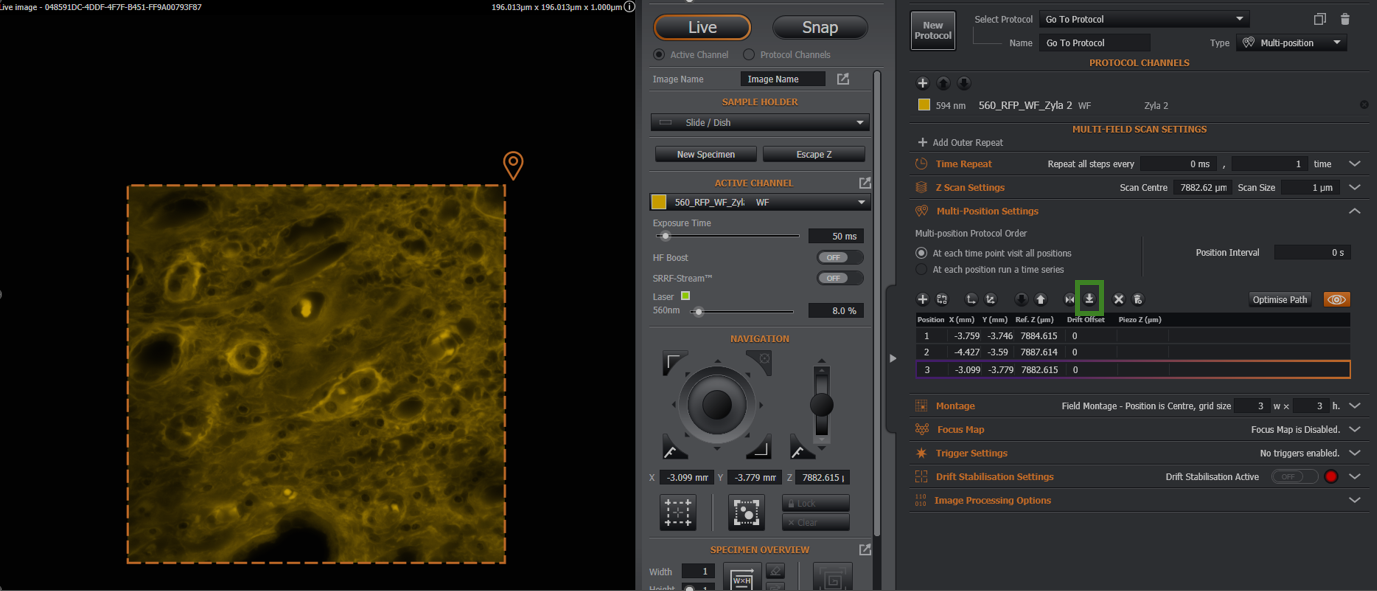
To go to the currently selected position, click the 'go-to' button. This shall be indicated on the table with the purple / orange colouring (purple to indicate this is the current stage position, orange to indicate this is the currently selected position).

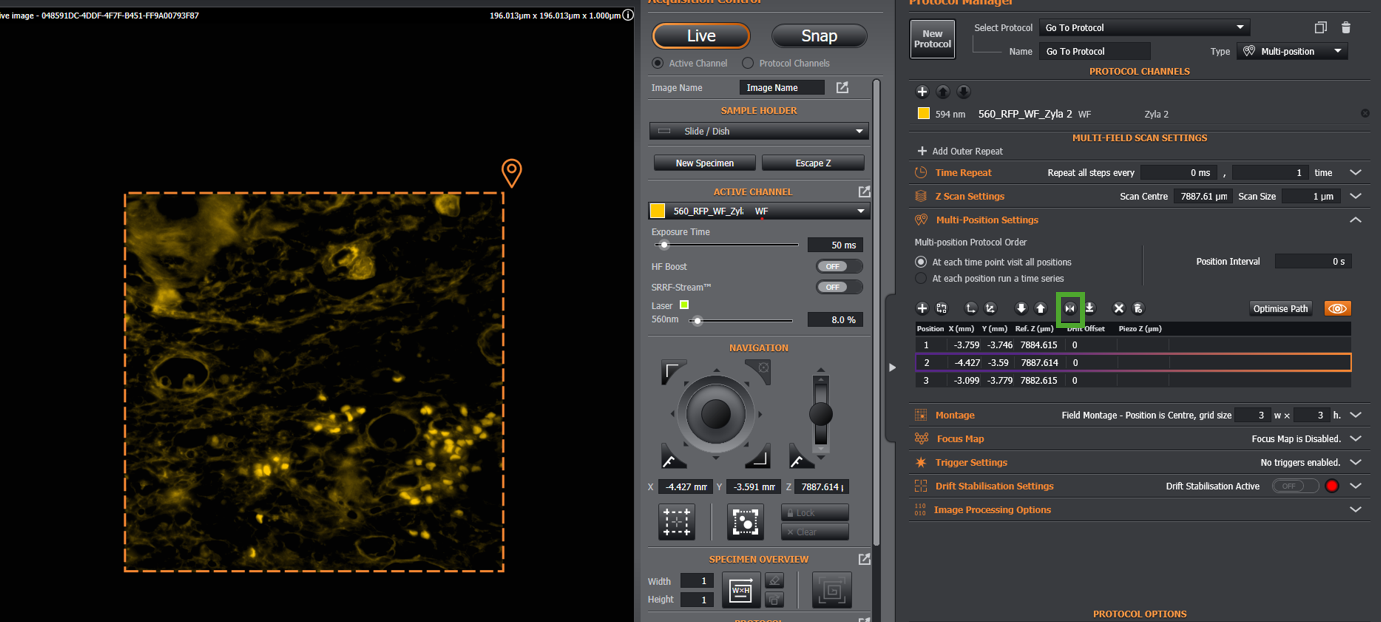
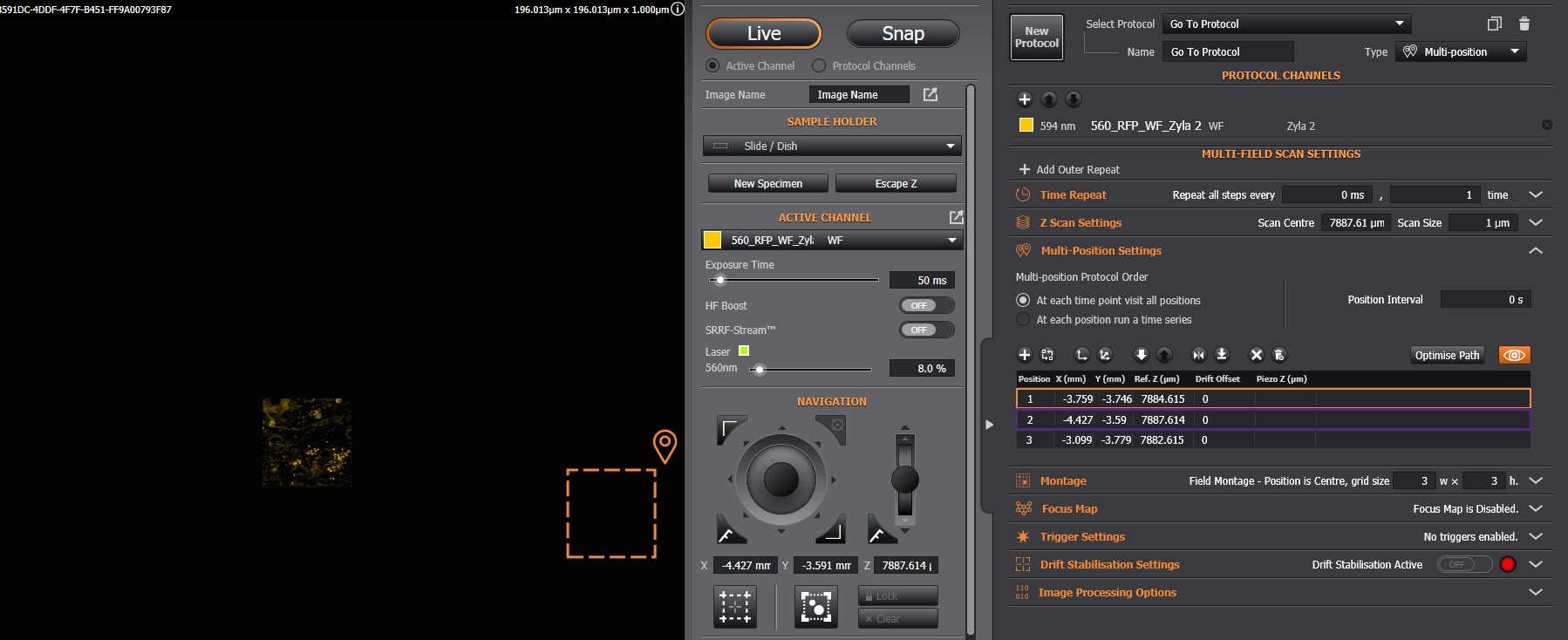
When the currently selected position and current stage position are not the same, this shall be indicated also:
Note: we can also go to a particular position by double clicking on that position in the table.

To go to the next position after the currently selected, click the 'go-to next position' button: