
CoolLED allows for the use of up to 4 LEDs depending on the model being used.
-
The pE-300 allows for the use of 3 LED lines for which the wavelength of each is preset and unchangeable.
-
The pE-4000 allows for the use of 4 LED lines. Each line contains a bank of 4 selectable wavelengths from which the user can choose which wavelength they want to use for each line.
Depending on how Fusion is set up, the features described here may be located in a different location. Please see Imaging Mode and Feature Locations.
Channel Settings
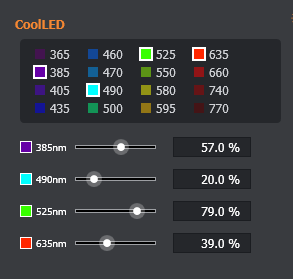
LED - Up to 4 LED wavelengths can be selected for use. Only one LED can be selected from each bank. The banks are displayed vertically.
LED Intensity - The slider defines the intensity of the LED output from 0-100%.
Feature Locations
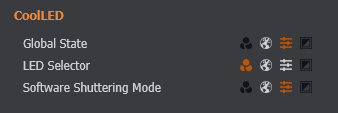
All of the CoolLED's features are shown here. The Global State and the Software Shuttering mode can be moved between the Global Settings and the Advanced Settings. The LED selector can be moved between the Channel, Global and Advanced Settings. See the Imaging Mode and Feature Locations section for more details.
Advanced Settings
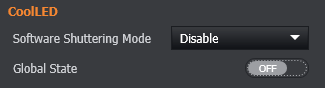
Software Shuttering Mode - When enabled, software shuttering will automatically control the LED on/off status depending on whether the system is acquiring data or showing a live image.
Global State - Sets the on/off state for the selected LEDs.