
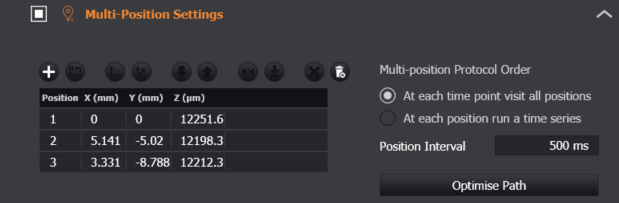
Position (Field)- this is the number of the chosen XYZ position.
X, Y - the coordinates from the XY stage.
Start Z - the position (focus) of the microscope for this position. If using a Z Scan element, this position will be used as the start of the Z stack.
To add a position, navigate with the software or hardware joystick and choose the focus position with the microscope.
A video guide can be seen here: Image acquisition: combine Multi Position with Z (Start -End) / Image acquisition: combine Multi Position with Z (Z centre)