
Where a set of objectives with more than two types of immersion media are in use (e.g. 3 air objectives, one standard oil and one silicone oil objective) it is not possible to complete PF/PC calibration in one round.
This is because the sample must be removed and cleaned after it contacts the first type of immersion media, and so any further calibration with the objective that uses the second type of immersion media would be unreliable.
However, calibration of all objectives is still possible. To achieve this the calibration routine must be ran several times. On the first iteration all air objectives must be calibrated against a single immersion media type only. On the second iteration all air objectives must be calibrated once more but this time against the second immersion media type and so on. Once all immersion medias have been through calibration in this way then all objectives will be parfocal and parcentric.
The following workflow provides a step-by-step instruction for this.
Scenario
-
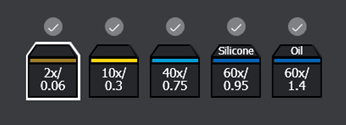
5 Objectives are present in the system.
-
Ports 1-3 are occupied by air objectives, port 4 by a silicone oil objective and port 5 by a standard oil objective.
Workflow
-
Navigate to the Calibration tab and begin the PF/PC calibration procedure as normal, selecting the relevant channel and then proceeding to the individual objective calibration screen. See Parfocality and Parcentration Calibration
-
Select each air objective in turn, bringing the sample into focus and navigating the reference object to align with the crosshair before hitting “Store current position for calibration”.
-
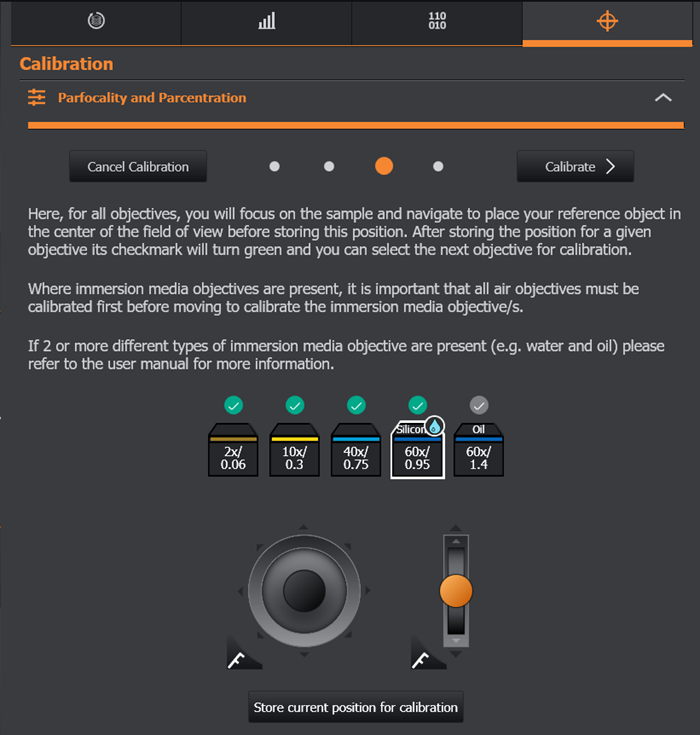
Once the air objectives have had their positional information stored proceed to the silicone oil objective in port 4, the first immersion media type.
-
Repeat the process of bringing the sample into focus and navigating the reference object to align with the crosshair before hitting “Store current position for calibration”.
-
Take no further action, do not navigate to port 5.
-
Instead select “Calibrate”.
-
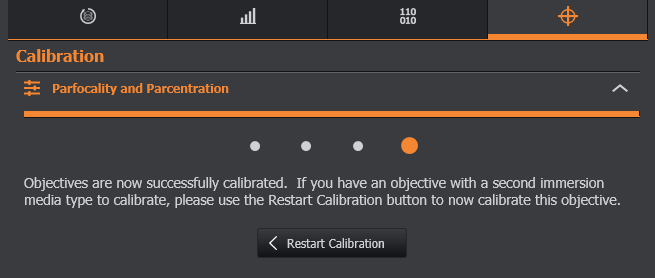
On the following screen select “Restart Calibration” to return to the beginning of the process for a second iteration.
-
Proceed once more to the individual objective calibration screen.
-
Repeat the calibration of the air objectives, as in step 2. These objectives should already be parfocal and parcentric.
-
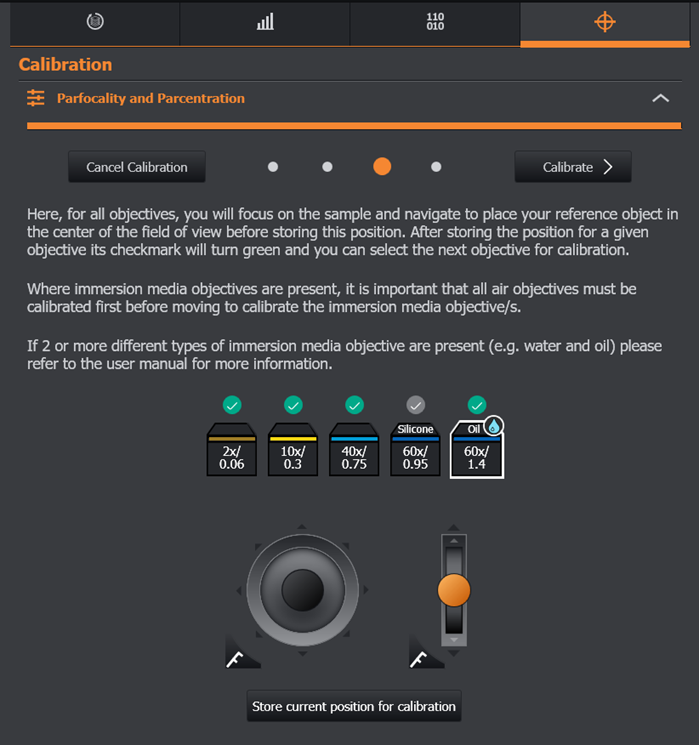
Navigate to the standard oil objective in port 5, the second immersion media type.
-
Repeat the process of bringing the sample into focus and navigating the reference object to align with the crosshair before hitting “Store current position for calibration”.
-
In this second instance do not take any action with port 4 (this has already been calibrated).
-
Instead select “Calibrate” to complete the process.
-
Now all 5 objectives have been calibrated against one another.