
The image processing tab covers the Deconvolution configuration and processing options.
Deconvolution is a powerful, optional module of Fusion allowing the processing of images either post-acquisition or during Protocol intervals. See also Protocol Manager tab. If a compatible GPU (Graphics Processing Unit / graphics card) is present, this will be performed extremely rapidly.
Deconvolution
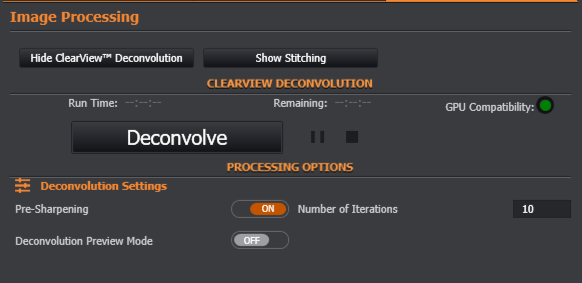
See the Performing Deconvolution section for details on all of the settings shown here.
Stitching
Align in Z
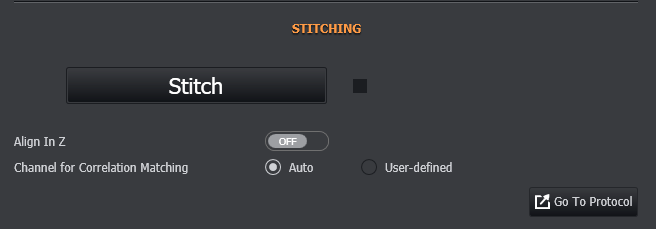
The Align in Z option will align features along the Z Dimension as well as in the X and Y dimensions.
Note: Default is off. Recommended to be used with Focus Map acquisitions when focus of the sample varies in the Z dimension.
Select channel for stitching
Auto - The first channel in the image will be used for stitching.
User defined - If there is more than 1 channel in the image, you can use this option to specify which channel should be used for stitching. You will be prompted to select a channel after clicking the Stitch button.
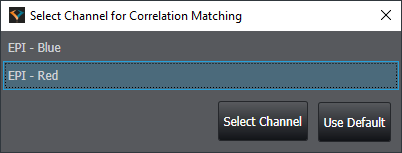
Note: The Stitch button will only be enabled if the currently displayed image is a montage or multifield image that can be stitched.
Once started, stitching progress is shown and can be cancelled by pressing the square "stop" button to the right of the "Stitch" / "Stitching" button.

More information can be found here: Andor Stitcher
Troubleshooting
If the resulting image does not look correct (for example, the overlap or the rotation of some / all images is incorrect, please check the F.A.Q (Frequently Asked Questions).
A video guide can be seen here: Image Processing Options- Deconvolution and Stitching